
Notification Channel
Create ServiceNow channel to receive notifications from Revefi.
Overview
This page will help you configure and manage ServiceNow notification channels in Revefi. Notification channels allow you to receive alerts and updates about your data quality monitors, incidents, and other important events.
Custom Channel(s)
Steps to create a new notification channel
- On the left menu bar, click "Settings" and then select Notifications
- On the Notifications page, click on "+ New Notification" button
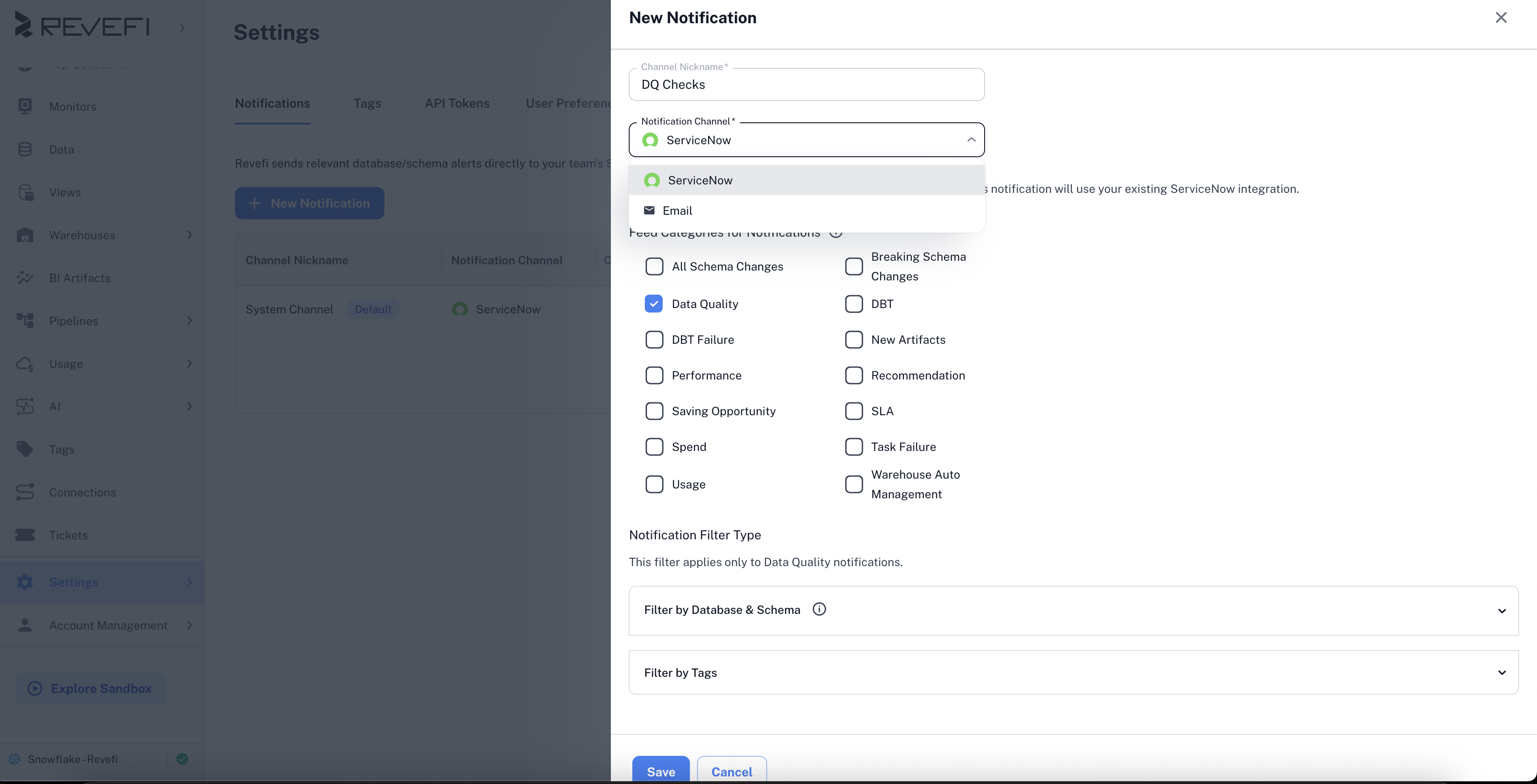
- Give a name to your channel
- Select Service Now from the drop down
- Choose the notification categories you are interested in
- Save the channel
Revefi will send notification on your existing ServiceNow integration.
Updated 8 months ago
Did this page help you?